Card of the day
A new card every morning to reflect on. Take a breath, turn it over, and read what it means.
Five spreads
One card, past-present-future, love, work and money, and a five-card insight. Ask a question or just shuffle and deal.
All 78 meanings
The Major Arcana and the four suits, each with upright and reversed meanings and keywords.
Reading journal
Every reading is saved on your phone with its question, cards and date, to look back on any time.
Your readings stay yours
Moonfold has no account and asks for no permissions. Your questions and readings stay on your phone. The app is free with ads from Google AdMob, which never see your readings.
Guides
Tarot card meanings, spreads and how to read the cards, in plain words.
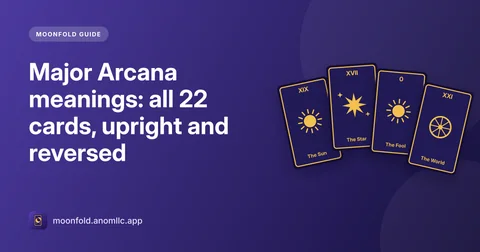
- Major Arcana meanings: all 22 cards, upright and reversed
What each of the 22 Major Arcana tarot cards means, from The Fool to The World, with upright and reversed keywords and a one-line meaning for each.
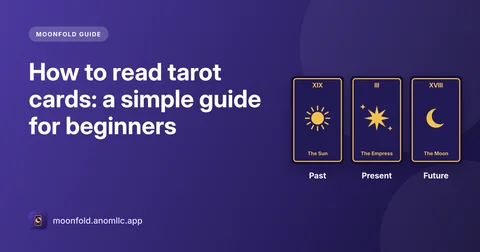
- How to read tarot cards: a simple guide for beginners
How to start reading tarot: the parts of the deck, how to ask a good question, a three-card spread step by step, and how to put the meanings together.
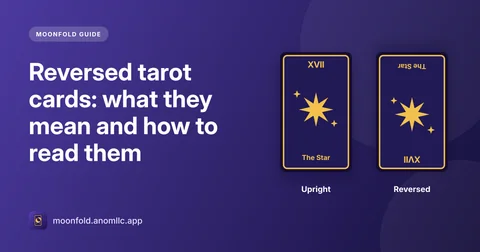
- Reversed tarot cards: what they mean and how to read them
What it means when a tarot card is upside down, four simple ways to read a reversal, examples, and whether beginners should use reversed cards at all.
Questions
Is Moonfold free?
Yes, and there is no account to create. It shows a banner at the bottom of the home screen, and now and then a full-screen ad when you tap Done after a reading. There are never ads inside a reading.
Can tarot predict the future?
No. Moonfold offers tarot for reflection and entertainment: the cards are a way to look at a question from new angles. Nothing in the app is medical, legal, financial or psychological advice.
How does the card of the day work?
Each morning a new card is drawn for you. Turn it over when you're ready; it stays the same all day, and a new one is waiting tomorrow.
Which spreads are there?
One card, Past-present-future, a Love reading (you, them, your connection), Work and money (where you stand, the challenge, your next step) and a Five-card insight.
What are reversed cards?
A card that comes out upside down has a reversed meaning, usually a blocked, delayed or inward version of the upright one. About one card in three comes out reversed; you can turn reversals off in Settings.
Where are my readings saved?
In the Journal, on your phone only. You can delete single readings or clear the journal. Moonfold is in English and works on Android 8.0 or newer.